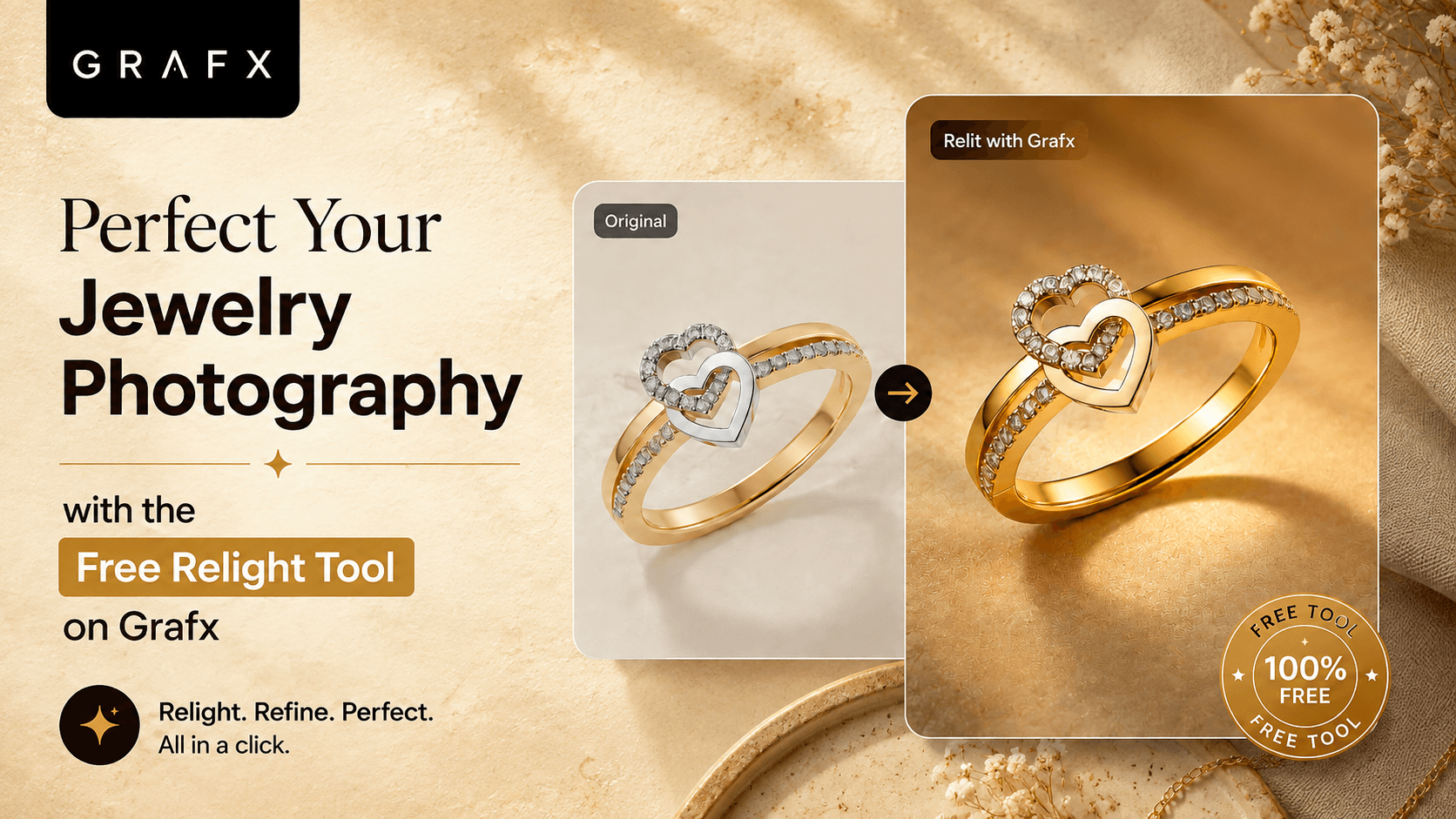
Lighting is everything in jewelry photography. It’s what makes diamonds sparkle, gold gleam, and gemstones come to life. But capturing that perfect, studio-quality lighting on camera can be incredibly difficult, time-consuming, and expensive.
What if you could completely change the lighting of your jewelry photos after they were taken—without losing any of the original details?
Enter the Relight tool, now available for free on the Grafx Web Studio. We’ve designed this feature specifically to give you absolute control over how your jewelry is presented, allowing you to breathe new life into your existing catalog with just a few clicks.
Here is a step-by-step guide on how to use the Relight tool to give your jewelry a completely new perspective.
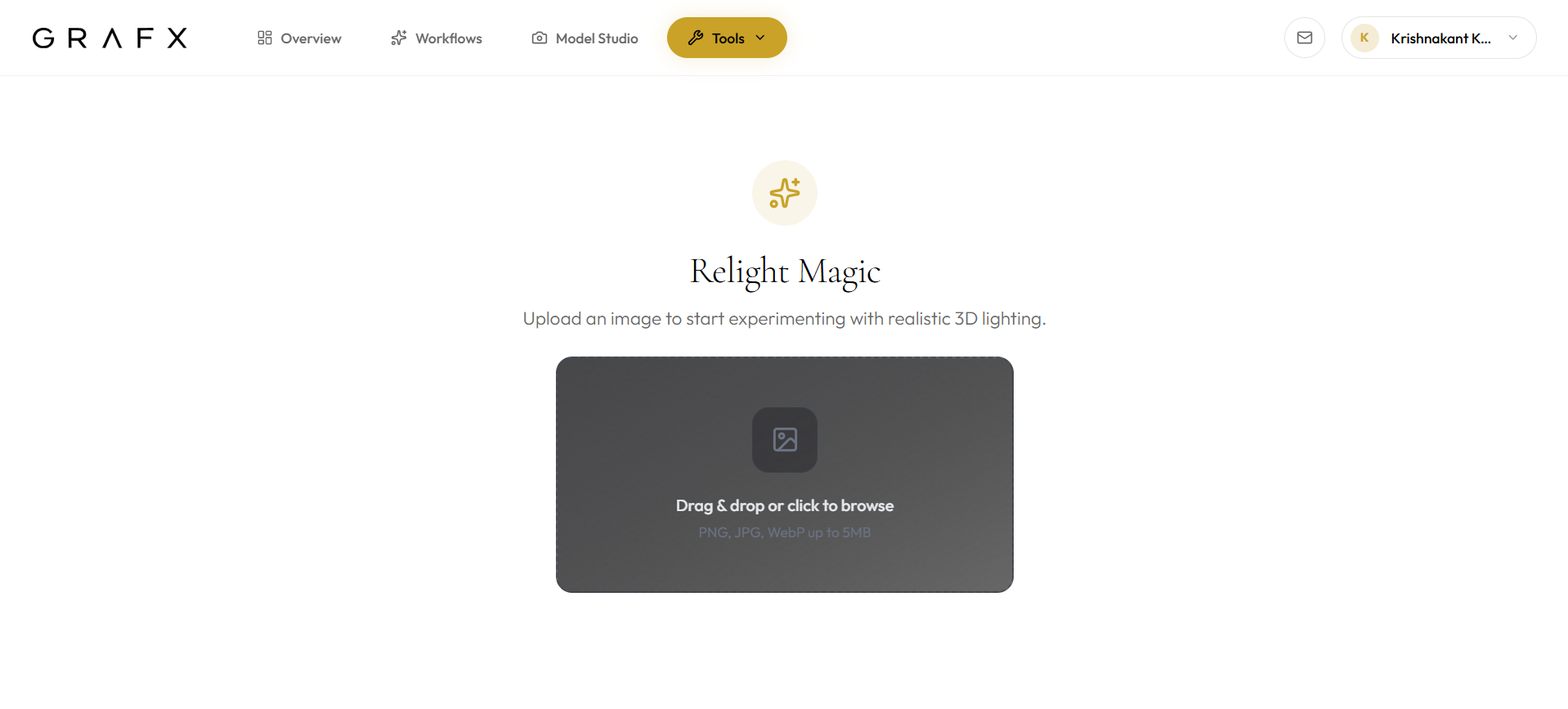
Step 1: Upload Your Jewelry Image
Getting started is as simple as dropping your image into the web studio. The Relight tool is designed to work with your existing shots, analyzing the geometry and surfaces of your pieces.
Step 2: Customize Your Light Source
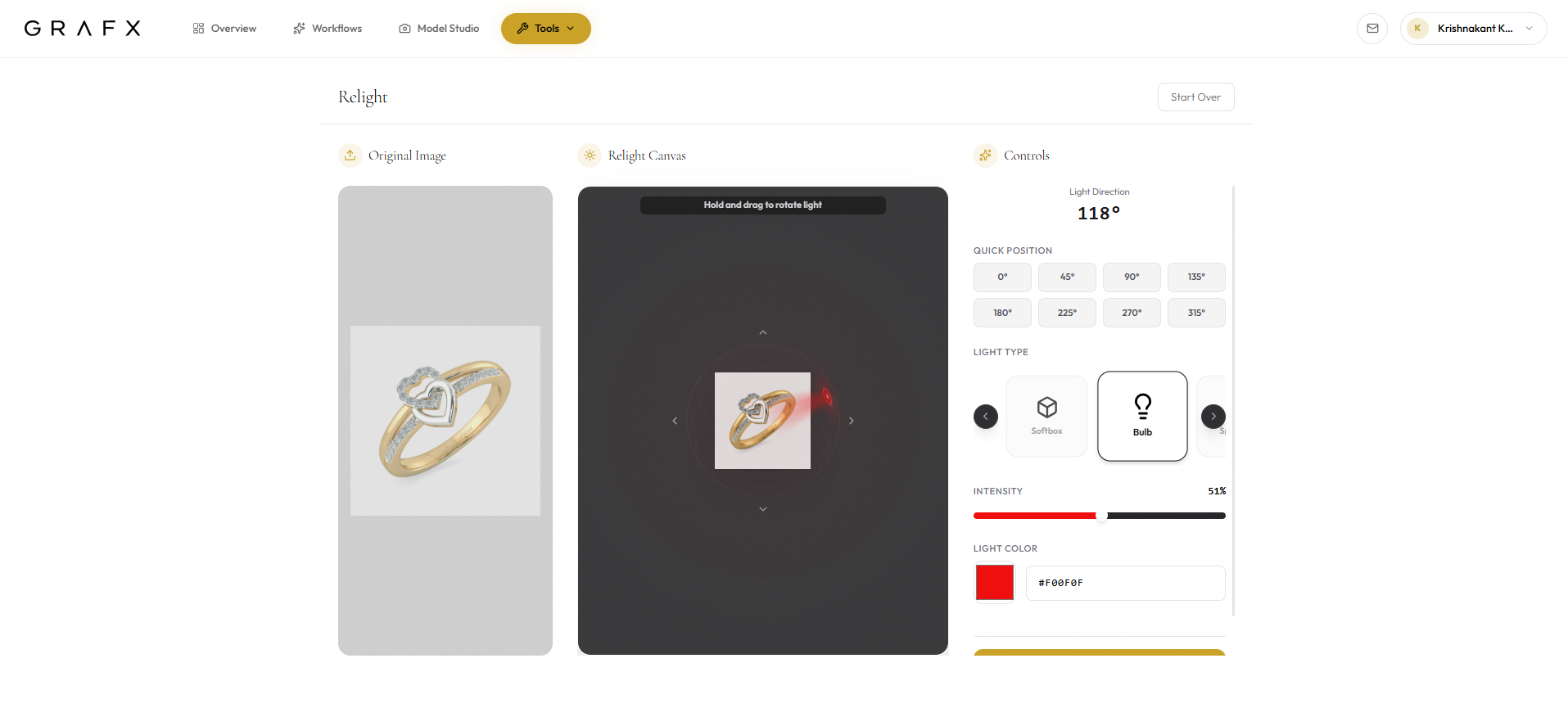
Once your image is uploaded, you become the virtual lighting director. The Relight canvas gives you unparalleled control over how your piece is illuminated:
- Set the Angle: Choose from a list of preset lighting angles for a quick fix, or use the interactive 3D relight canvas to manually drag and drop the light source exactly where you want it.
- Choose the Light Type: Different jewelry requires different lighting styles. Select from various light profiles, such as a focused 'Bulb' for sharp, dramatic highlights or a 'Ring Light' for soft, even illumination.
- Pick the Color: Adjust the color of the light to complement your metals and gemstones perfectly, adding warmth or cool tones as needed.
Step 3: Generate Your Masterpiece
Once you have dialed in your perfect lighting setup, simply click Generate Image.
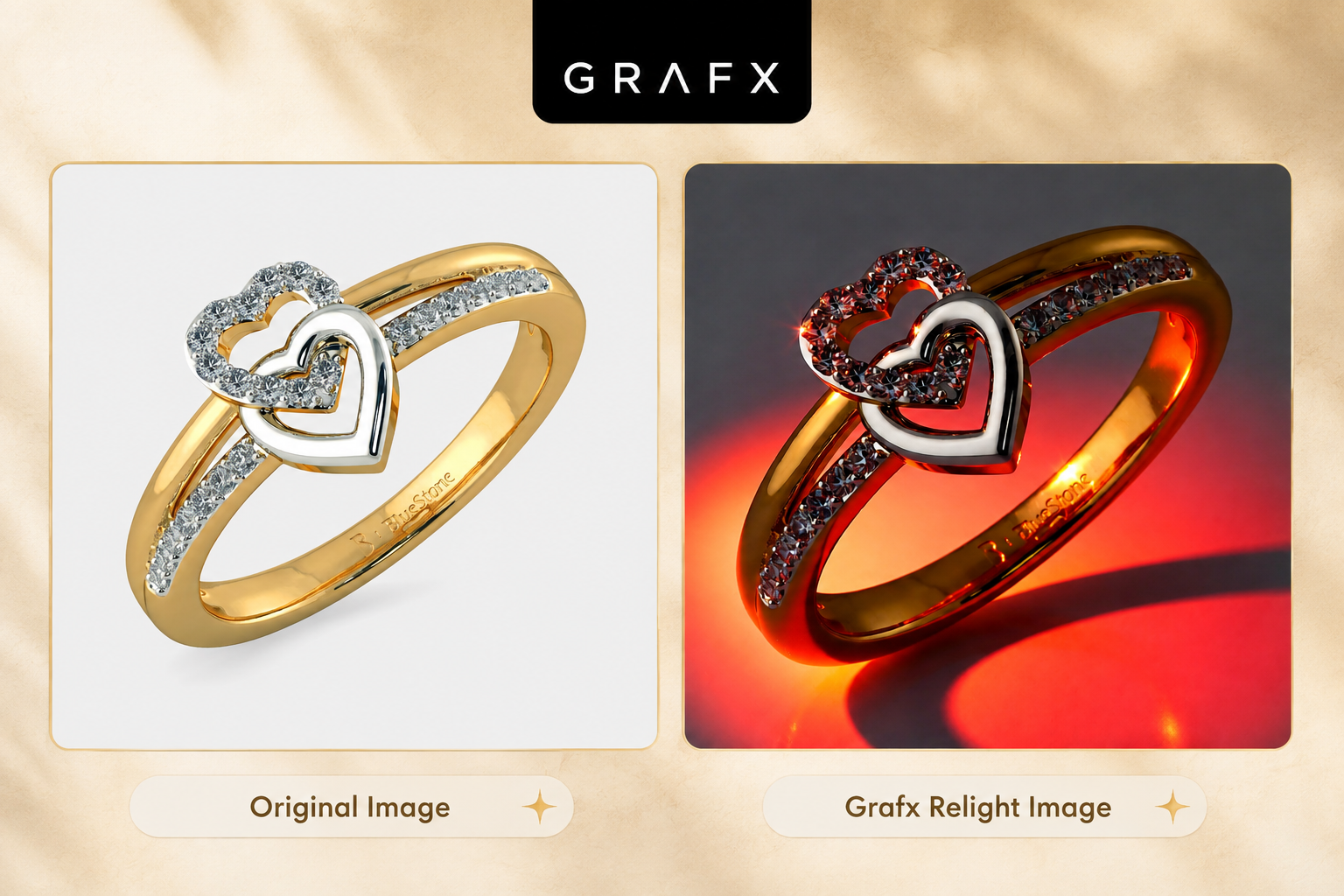
Grafx’s AI engine instantly processes the image, casting your new light source onto the jewelry. The magic here is in the details: the tool perfectly calculates and maintains accurate reflections, ensuring the jewelry retains its true identity and background. The result is a hyper-realistic, beautifully lit image that looks like it was shot in a high-end physical studio.
Why Use the Relight Tool?
- It’s Completely Free: You can access studio-grade lighting modifications without spending a dime.
- Maintains Originality: It doesn't alter the core structure of your jewelry or mess up your background; it simply changes how the light interacts with the piece.
- Endless Experimentation: Try out a dozen different lighting setups in minutes to see what makes your product look its absolute best.
Great lighting can be the difference between a customer scrolling past and a customer making a purchase. It's time to let your jewelry shine in its best light.
Ready to see the magic for yourself? Register at grafx.app today and try the free Relight feature on your own jewelry images!